
The APK editor and
file manager for Android
Decompile APKs to Java, edit Smali, resources and the manifest, then rebuild and sign. A two-pane file manager and a full APK workbench, all on your phone. No PC, no root.
Free · Android 8.0+ · No account, no tracking
An APK editor that fits in your pocket
Manifesto is a free APK editor for Android. It works as an APK decompiler, a Smali and resource editor and an APK signer, inside a two-pane file manager. If you have used MT Manager, NP Manager or APKTool M, the workflow will feel familiar.
Compare
- Decompile an APK on AndroidRead any app's Java source with JADX
- Edit an APK on Android without a PCOpen, change, rebuild and reinstall
- Sign an APK on AndroidV1 to V4 signing, debug or your own key
- Edit AndroidManifest.xml on AndroidBinary XML, decoded and re-encoded
- Install XAPK and APKS filesSplit APKs and bundles, installed or merged
- Convert AAB to APK on Androidbundletool, on your phone
A file manager that speaks APK
Browse storage like a desktop, then open any package and see exactly how it is built. No PC, no cables, no uploads.
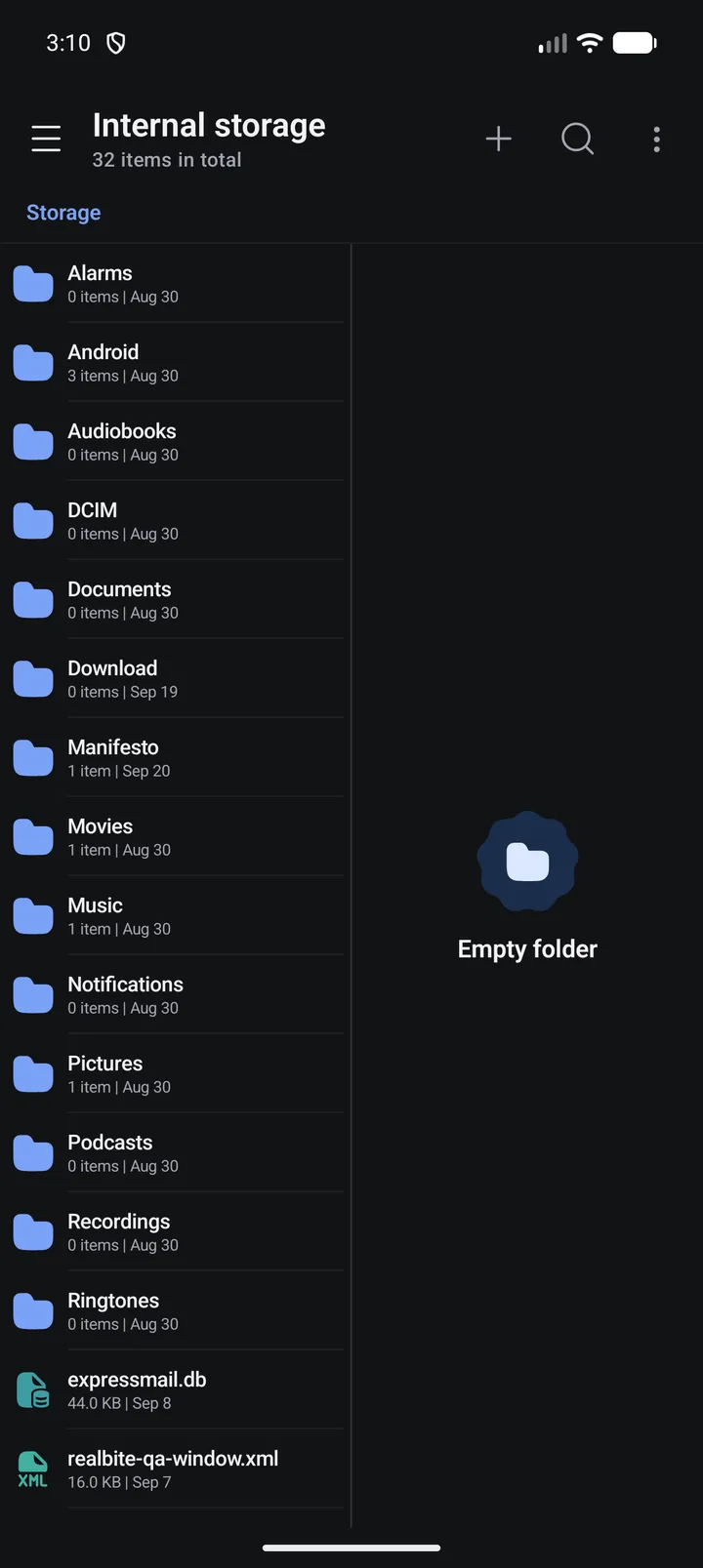
Two panes, zero friction
Sliding or split panels, list or grid, swipe-to-select, bookmarks, root paths and checksums. Copy between panes in one tap.
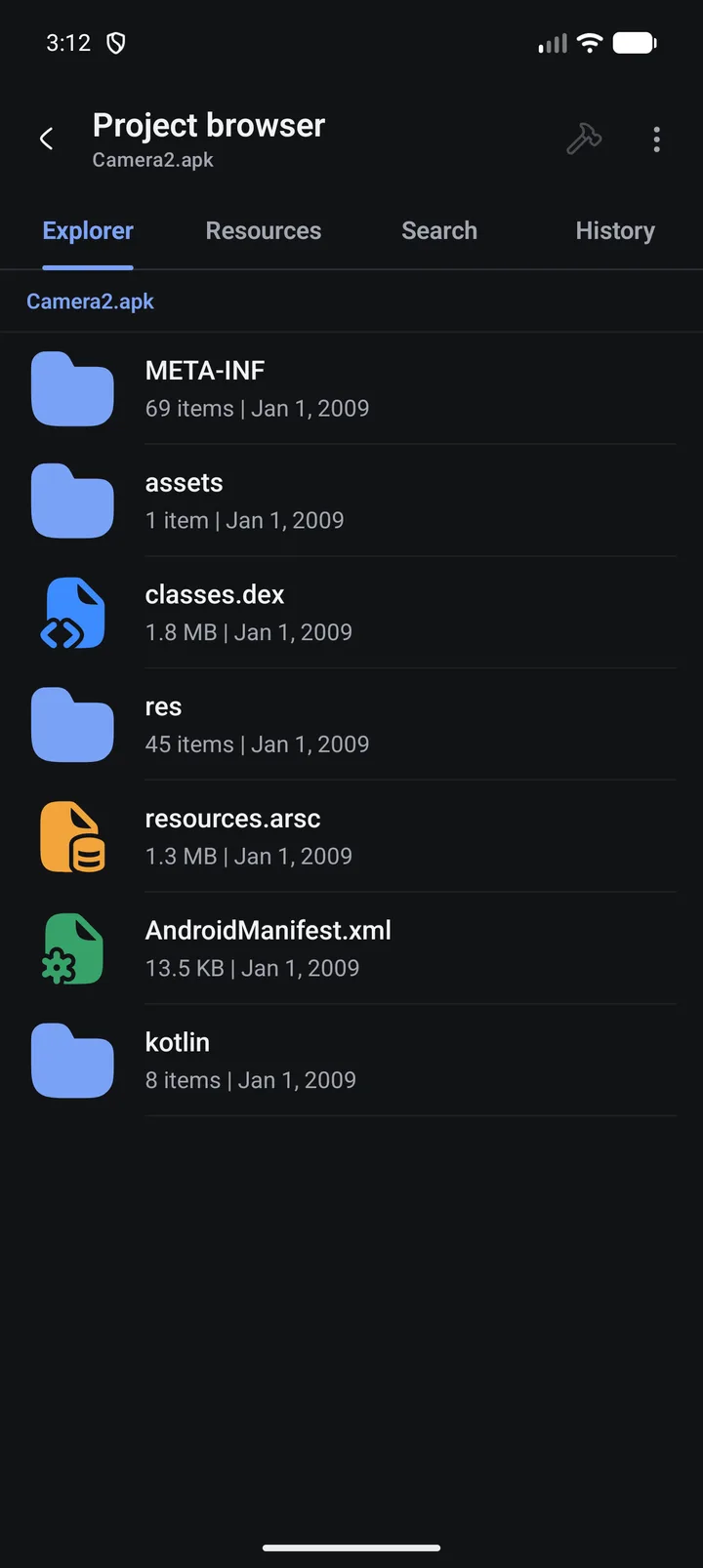
Archives, inside out
Browse, extract and edit entries in place. Create ZIP, 7z, TAR, CPIO and ISO.
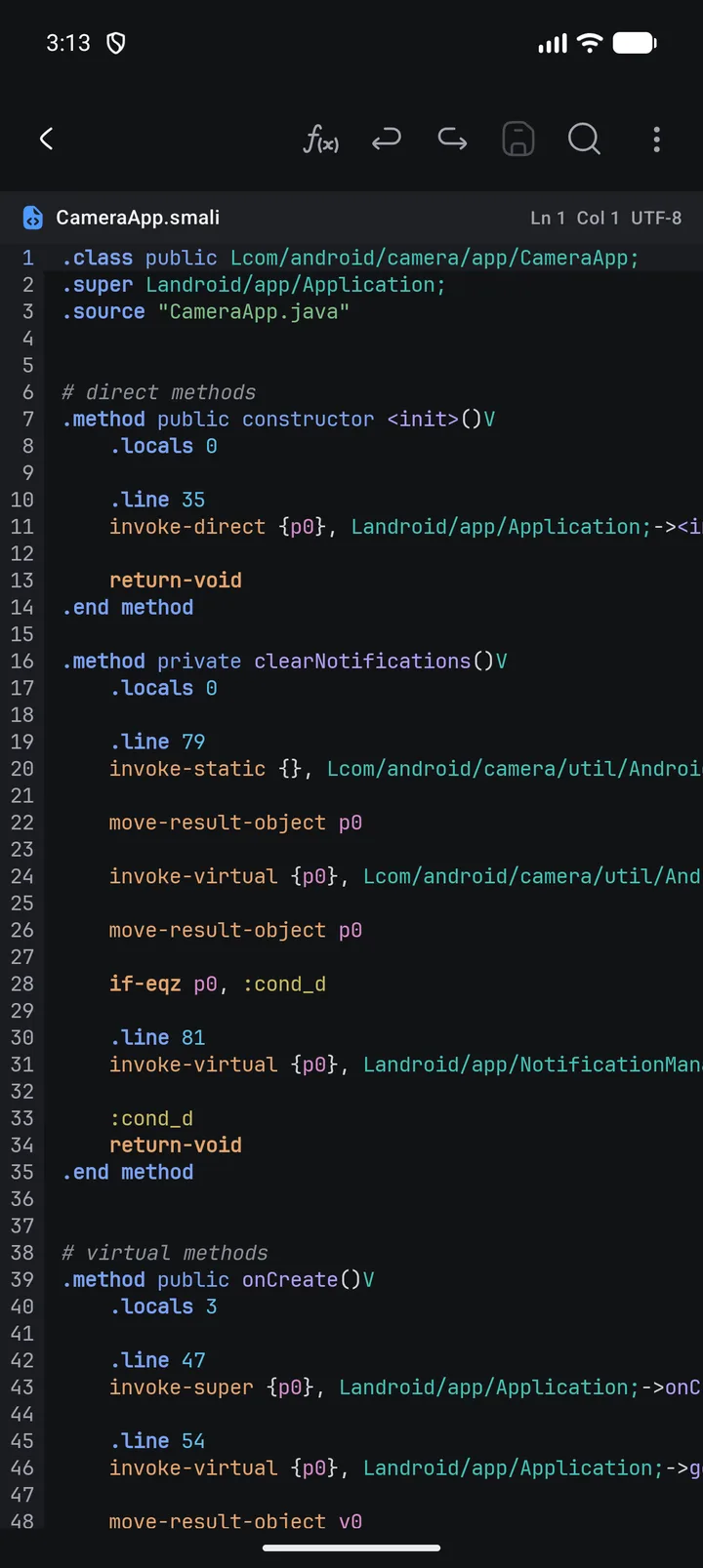
Smali in, Java out
Decompile DEX with JADX, edit Smali with symbol search and Find usages, then compile only the DEX you changed.
.method onCreate()V
  .locals 3
  invoke-super
  {p0}, Application
  return-void
@Override
public void
onCreate() {
  super.onCreate();
}
Rebuild and sign
Save and rebuild only what changed. The build is signed with Manifesto's debug key, and Sign re-signs it with your own keystore using V1–V4. Convert AAB and split APKs to a single installable file.
Native libraries
radare2 and r2ghidra: disassembly, pseudocode, graphs, xrefs and byte patches written back into the APK.
Frida, built in
Inject Frida Gadget into an APK, then explore, hook and script live sessions from your phone.
Agentic Space
Bring your own model. About 180 tools let an AI read, search and patch your project, with your approval.
A Linux shell for the agent
The agent runs commands in Alpine Linux under PRoot. It can install python3, git, clang or openjdk17 and keep several sessions going.
Dynamic Lua plugins
Write Lua plugins with Java and native hooks, run them inside a target app via LSPosed, and debug them with the built-in editor and logs.
Open almost anything
A code editor with syntax highlighting for 15+ languages, plus hex, JSON, image and media viewers that work inside archives too.
From package to patch in three steps
The same flow you would run on a desktop with apktool, JADX and apksigner, all in a pocket-sized workspace.
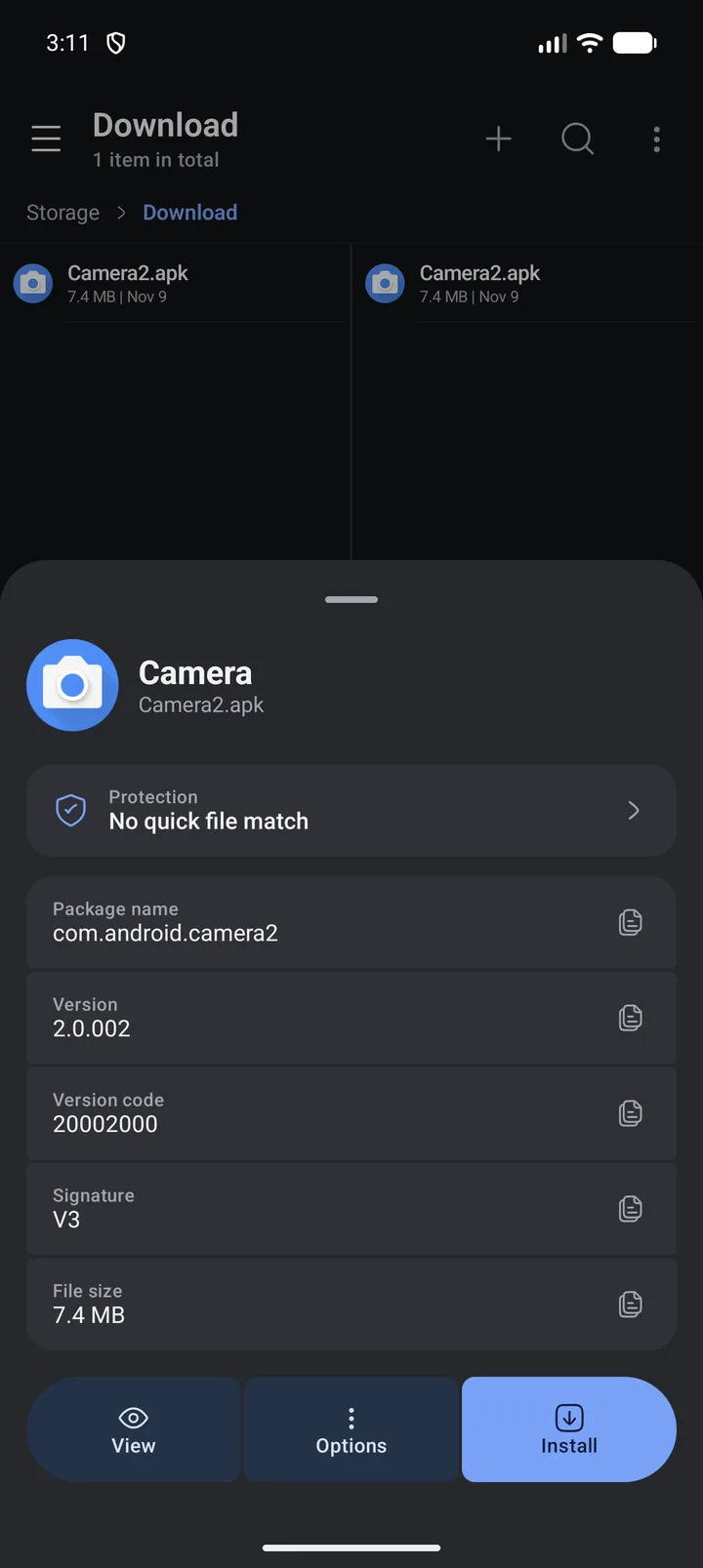
Open an APK
Tap any APK or installed app. See package, version, signature and a protection scan straight away. Split sets (APKS, XAPK, APKM) can be viewed, installed or converted to one APK.
Explore & edit
Open it as a project. Browse DEX classes, read decompiled Java, edit Smali, the manifest and resources.
Build & sign
Save and rebuild only what changed. It's signed with Manifesto's debug key, and you can re-sign it with your own keystore. Every step runs on the device.
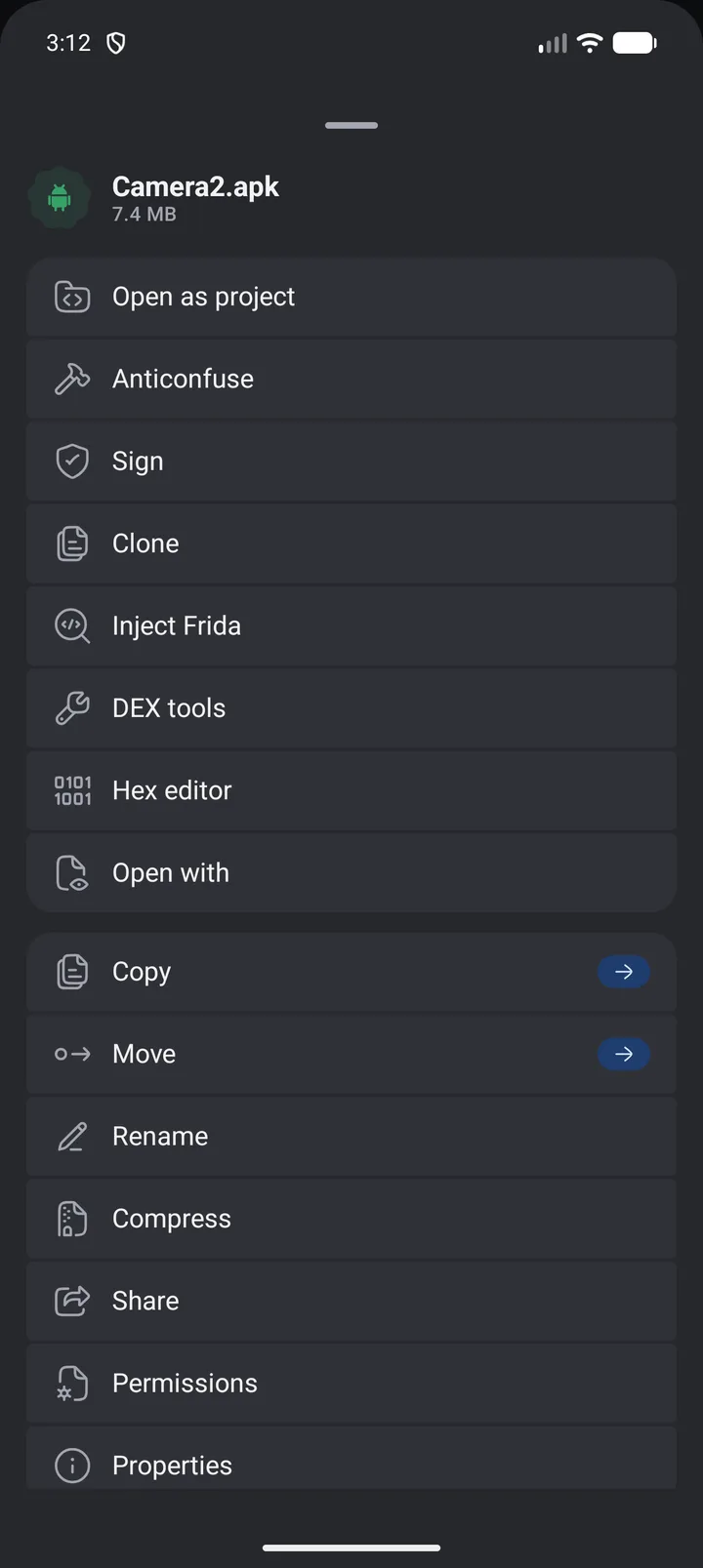
Real screens, no mockups
Every screenshot below was captured from the app running on a Pixel emulator.
An AI co-pilot with a real shell
Something you don't expect from a phone app: an agent that can operate the workbench for you, with a full Linux userland it can use next to your files.
Agentic Space
Your model, your keys, your approval
CameraApp.onCreate() calls clearNotifications(), which cancels all of the app's notifications through NotificationManager.OpenRouter, Groq, Ollama and LM Studio work through OpenAI-compatible.
The agent's Linux shell
Alpine in PRoot · arm64 · run by the agent
You ask in chat. The agent runs the commands and you see the output. The root filesystem downloads on first use and is checked against Alpine's SHA-256 metadata.
Your files stay yours
On-device analysis
Decompiling, editing, rebuilding and signing all happen locally. Nothing is uploaded unless you connect an AI provider, and then only what its tools read.
No analytics
No tracking SDKs and no crash uploads. Crash details stay on an on-device screen.
Network only when you ask
Only for AI providers you set up, Linux packages the agent installs, Frida downloads and plugins' own requests.
Manifesto asks for all-files access, package installs and a full list of installed apps, which Google Play restricts and reviews one by one. It also downloads executable tools such as Frida and an Alpine Linux system from outside Play, which Play's Device and Network Abuse policy doesn't allow. So it's distributed as a signed APK from this site instead.
Android 8.0 (API 26) or newer, on an arm64 device (nearly every modern phone). 32-bit and x86 devices are not supported.
No. The file manager, APK projects, signing, the agent and the agent's Linux shell all work without root. Root is needed only for the Root location (system paths), Dynamic Plugins (with an Xposed framework such as LSPosed) and Frida's root mode.
Yes. There's no account, subscription or ads. If you use the Agentic Space, you bring your own model provider and pay them directly, or run a local model for free.
Technically you can rebuild most APKs, but only modify apps you own or have permission to analyze. Build and sign uses Manifesto's debug key, and you can re-sign the result with your own keystore using Sign. Either way it has a different signature from the original, so it can't update the original app in place.
Only what its tools read while you chat, sent to the provider you configured. You choose whether tools ask before every call, ask before changes, or run automatically, and you can turn any tool off.
Put a whole workbench in your pocket
Free download. Android 8.0 (API 26) or newer. Installs in seconds.